Website performance often starts declining as traffic, applications, and customer expectations grow. At that stage, dedicated hosting becomes a practical upgrade because it delivers exclusive resources, stronger stability, and greater operational control.
Selecting the right server can improve speed, uptime, scalability, and overall reliability. Looking beyond promotional pricing helps you invest in hardware and support that continue delivering value as your business expands.
This article compares the factors that matter before making a decision, including server hardware, storage technology, network performance, pricing, technical support, scalability, and business suitability.
You’ll also find a comparison table, detailed reviews, buying advice, and practical recommendations to help you confidently choose a dedicated server that fits your workload, budget, and future growth.
Comparison Table
Not every dedicated server is built for the same workload. Some providers focus on affordable business hosting, while others specialize in enterprise infrastructure, virtualization, or managed services. Compare pricing, standout features, and ideal use cases below to find the best option for your requirements.
| Provider | Starting Price* | Standout Feature | Best For |
| YouStable | ₹7,409/mo | India based infrastructure, Hindi support, dedicated account manager | Growing businesses, WooCommerce, SaaS, enterprise applications |
| AccuWeb Hosting | From $80/mo | Linux & Windows dedicated servers with flexible configurations | Business websites, eCommerce, enterprise workloads |
| RedSwitches | ₹7,169.86/mo | Mumbai data centre with rapid bare metal deployment | High traffic websites, databases, virtualization |
| InMotion Hosting | $198.97/mo | Fully managed dedicated hosting with enterprise NVMe storage | Large businesses, virtualization, eCommerce |
| HostyCare | ₹19,999/mo | High core enterprise bare metal servers | AI workloads, virtualization, enterprise infrastructure |
Quick Recommendation
- Best Overall: YouStable
- Best Windows & Linux Support: AccuWeb Hosting
- Best Mumbai Data Centre: RedSwitches
- Best Fully Managed Dedicated Server: InMotion Hosting
- Best for Enterprise & AI Workloads: HostyCare
What is a Dedicated Server in India?
A dedicated server in India is a physical server that is allocated to a single customer only. Unlike shared hosting or VPS hosting, you don’t share CPU, RAM, storage, or bandwidth with other users. This gives your website or application consistent performance, complete server control, and dedicated resources to handle demanding workloads with confidence.
Many businesses switch to an Indian dedicated server as their traffic, applications, or customer base grows. Hosting your server closer to Indian users can improve response times, while dedicated resources provide better stability, stronger security, and the flexibility to manage custom software, databases, and business critical applications without resource limitations.
A Dedicated Server is Best For
- High Traffic Websites – Maintains fast loading speeds and reliable performance, even during periods of heavy visitor traffic.
- WooCommerce & eCommerce Stores – Processes customer orders, payments, and product databases smoothly without resource bottlenecks.
- SaaS & Business Applications – Provides dedicated computing power for CRM systems, SaaS platforms, and business software.
- Enterprise Workloads – Supports large databases, ERP systems, virtualization, and other mission critical business operations.
- Developers & Digital Agencies – Offers full root access to host multiple projects, install custom software, and manage server configurations freely.
Top 5 Best Dedicated Server Providers in India (2026)
You don’t need the most expensive dedicated server, you need the one that fits your workload. The providers below have been compared based on pricing, hardware, features, support, and the business use cases they serve best.
1. YouStable – Accepts UPI Payments + No Setup Fee + 15% OFF
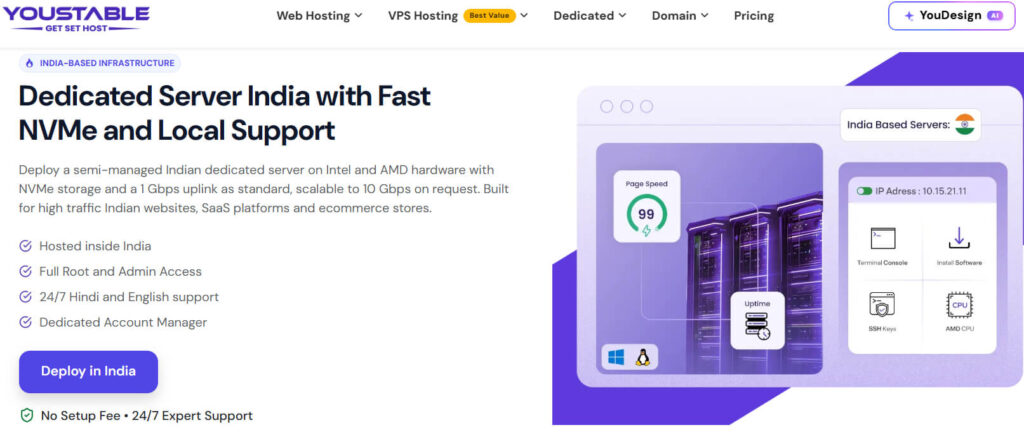
Looking for a dedicated server in India with dependable local infrastructure? YouStable offers enterprise grade hosting starting at ₹7,409/month, including no setup fee, free website migration, and 24/7 technical support for growing businesses.
Every server is powered by Intel Xeon or AMD processors with high speed NVMe storage, full root access, and scalable 1 Gbps to 10 Gbps connectivity. Hindi and English support, plus a dedicated account manager, simplify day to day server management.
Overall, YouStable delivers an excellent balance of performance, scalability, and value for businesses that need reliable dedicated hosting. Its India focused infrastructure, responsive support, and flexible hardware options make it suitable for WooCommerce stores, SaaS platforms, and enterprise applications.
Key Features of YouStable Dedicated Servers
Choose YouStable when you need India based dedicated infrastructure, reliable enterprise hardware, responsive local support, and room to scale confidently.
- India Based Infrastructure – Host your applications inside India for lower latency, faster response times, and improved performance for local visitors.
- Intel & AMD Enterprise Hardware – Deploy dedicated servers powered by Intel Xeon and AMD processors for demanding business applications and enterprise workloads.
- Full Root & Admin Access – Get complete administrative control to install software, customize configurations, and manage every aspect of your server.
- 24/7 Hindi & English Support – Resolve technical issues quickly with round the clock assistance available in both Hindi and English whenever needed.
- Dedicated Account Manager – Receive personalized guidance from a dedicated account manager who helps plan, optimize, and manage your infrastructure efficiently.
- Scalable Network & NVMe Storage – Start with a 1 Gbps uplink, upgrade up to 10 Gbps, and benefit from high speed NVMe storage.
Pros
- India Based Servers – Delivers lower latency and faster performance for Indian audiences.
- Full Root Access – Gives complete control to customize and manage your server.
- Hindi & English Support – Makes technical assistance easier for Indian business owners.
- Dedicated Account Manager – Provides personalized guidance for complex hosting requirements.
- Scalable Network – Supports growing workloads with upgradable 1–10 Gbps connectivity.
Cons
- Windows License Extra – Windows operating system requires an additional licensing cost.
- Premium Servers Cost More – Higher end configurations increase your monthly hosting budget.
YouStable Dedicated Server Plans & Pricing
Choose a YouStable dedicated server plan based on your workload, hardware requirements, budget, and expected business growth.
| Plan | Starting Price* | Hardware Configuration | Best For |
| E3-1230v3 | ₹7,409/mo | 4 vCPU, 32 GB DDR4 RAM, 480 GB SSD, 10 TB Bandwidth | Small business websites, development servers, business applications |
| E3-123x v5/v6 | ₹9,879/mo | 4 vCPU, 32 GB DDR4 RAM, 480 GB SSD, 10 TB Bandwidth | Growing websites, WooCommerce stores, agency hosting |
| E-2136 | ₹11,209/mo | 6 vCPU, 32 GB DDR4 RAM, 480 GB SSD, 10 TB Bandwidth | Medium sized SaaS, CRM, business applications |
| E5-2667v4 | ₹16,149/mo | 8 vCPU, 32 GB DDR4 RAM, 960 GB NVMe SSD, 10 TB Bandwidth | High traffic websites, virtualization, enterprise workloads |
2. AccuWeb Hosting – Flexible Linux & Windows Dedicated Server Configurations
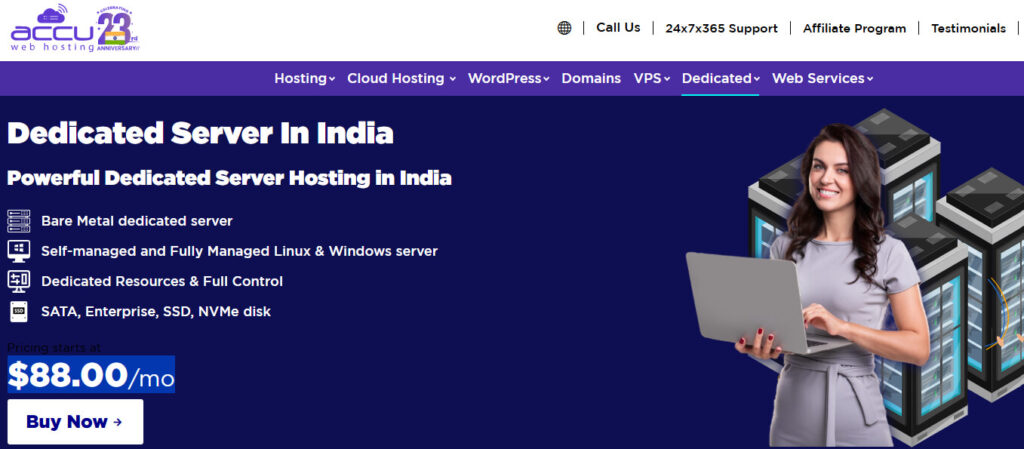
AccuWeb Hosting offers dedicated servers across entry level and enterprise configurations with support for both Linux and Windows environments. Dedicated server pricing starts from $80/month, while higher-performance enterprise configurations are available through custom pricing.
You can select self managed or fully managed servers with SATA, SSD, or NVMe storage, depending on your workload requirements. Flexible processor options, dedicated resources, and customizable hardware make the platform suitable for websites, business applications, and enterprise deployments.
Key Features of AccuWeb Hosting Dedicated Servers
AccuWeb Hosting gives you flexible dedicated servers with multiple management options, operating systems, and enterprise grade hardware configurations.
- Linux & Windows Support – Choose between Linux or Windows operating systems according to your application and software requirements.
- Managed & Self Managed Options – Select fully managed or self managed servers depending on your technical expertise and operational preferences.
- Enterprise Storage Choices – Deploy SATA, SSD, or NVMe storage based on your required performance and storage capacity.
- Dedicated Resources – CPU, RAM, and storage remain exclusively allocated to your server for consistent application performance.
- Custom Hardware Configurations – Configure processors, memory, and storage resources to meet changing business or enterprise infrastructure needs.
Pros
- Linux & Windows Support – Supports multiple operating systems for different business applications.
- Managed Options – Choose fully managed or self managed hosting based on experience.
- Flexible Storage Choices – Select SATA, SSD, or NVMe according to requirements.
- Dedicated Resources – Guarantees exclusive CPU, RAM, and storage performance.
- Custom Hardware – Easily configure processors, memory, and storage specifications.
Cons
- Custom Pricing Plans – Enterprise servers often require requesting a custom quotation.
- Complex Choices – Numerous configuration options may confuse first time buyers.
AccuWeb Hosting Dedicated Server Plans & Pricing
AccuWeb Hosting offers dedicated servers across budget and enterprise configurations, making it suitable for websites, business applications, and resource intensive workloads.
| Plan | Starting Price* | Hardware Configuration | Best For |
| Classic Series | From $80/mo | Intel Xeon E3 Series, 4 CPU Cores, 16–32 GB RAM, 1 TB HDD / SSD Options | Small business websites, blogs, development environments |
| Advanced Servers | Custom Pricing | Intel Xeon / AMD EPYC Processors, Enterprise SSD/NVMe Storage, Dedicated Resources | Growing businesses, eCommerce stores, business applications |
| Infrastructure Servers | Custom Pricing | High Core CPUs, Large RAM Configurations, NVMe Storage, High Bandwidth Network | Virtualization, databases, SaaS platforms, enterprise workloads |
| High Availability Servers | Custom Pricing | Dual Processor Options, Up to 1 TB RAM, RAID Storage, Enterprise Hardware | Mission critical applications, AI workloads, large scale production environments |
3. RedSwitches – Mumbai Bare Metal Servers with Fast Deployment
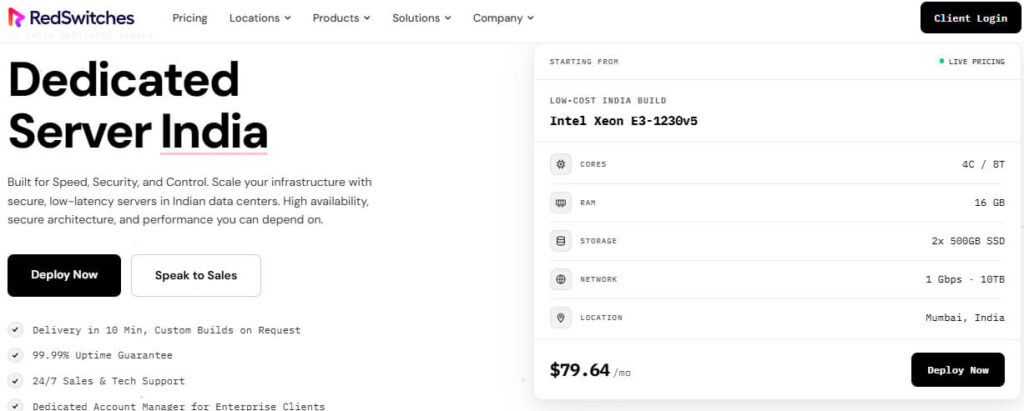
RedSwitches focuses on high-performance bare metal infrastructure with dedicated servers hosted in Mumbai, India for reduced latency and reliable connectivity. Entry level plans start at ₹7,169.86/month, and every deployment includes a $0 setup fee with live pricing displayed.
You’ll find enterprise hardware, custom server configurations, 10 minute deployment, and 99.99% uptime backed by 24/7 technical support. Businesses handling databases, virtualization, gaming, or high traffic applications can scale hardware resources as workloads increase.
Key Features of RedSwitches Dedicated Servers
Pick RedSwitches when low latency Indian infrastructure, rapid deployment, and enterprise hardware matter most for your business applications.
- Mumbai Data Center – Deploy servers in Mumbai to reduce latency and improve connectivity for users across India.
- 10 Minute Server Deployment – Most dedicated servers are provisioned quickly, helping you launch projects without long waiting periods.
- 99.99% Uptime Guarantee – Enterprise infrastructure minimizes downtime and helps keep your business applications consistently available throughout the year.
- Custom Bare Metal Servers – Configure processors, memory, storage, and networking according to your workload requirements without unnecessary resources.
- 24/7 Technical Support – Experienced infrastructure specialists remain available around the clock to assist with server related technical issues.
Pros
- Mumbai Data Center – Reduces latency for websites serving visitors across India.
- Fast Deployment – Launches dedicated servers within approximately ten minutes.
- Enterprise Hardware – Supports demanding databases, virtualization, and enterprise applications.
- Custom Configurations – Lets you customize hardware based on workload requirements.
- 24/7 Technical Support – Provides expert assistance whenever server issues arise.
Cons
- Managed Services Limited – Primarily focuses on self managed dedicated server infrastructure.
- Paid Control Panels – Popular control panels require additional licensing fees.
RedSwitches Dedicated Server Plans & Pricing
RedSwitches provides scalable bare metal servers with enterprise grade hardware, Mumbai data centers, and flexible configurations for performance critical workloads.
| Plan | Starting Price* | Hardware Configuration | Best For |
| Intel Xeon E3-1230v5 | ₹7,169.86/mo | 4 Cores / 8 Threads, 16 GB DDR4 RAM, 2×500 GB SSD, 1 Gbps Port, 10 TB Bandwidth | Small business websites, development servers, entry level hosting |
| Intel Xeon E-2356G | ₹8,194.12/mo | 6 Cores / 12 Threads, 32 GB DDR4 RAM, 2×500 GB SSD, 1 Gbps Port, 10 TB Bandwidth | Growing websites, agencies, business applications |
| Dual Intel Xeon E5-2620v4 | ₹10,242.65/mo | 16 Cores / 32 Threads, 64 GB DDR4 RAM, 2×960 GB SSD, 1 Gbps Port, 10 TB Bandwidth | Virtualization, databases, medium enterprise workloads |
| AMD Ryzen 7 5800 | ₹12,291.18/mo | 8 Cores / 16 Threads, 32 GB DDR4 RAM, 2×1 TB SSD, 1 Gbps Port, 10 TB Bandwidth | High traffic websites, gaming servers, resource intensive applications |
4. InMotion Hosting – Fully Managed Enterprise Dedicated Servers with NVMe Storage
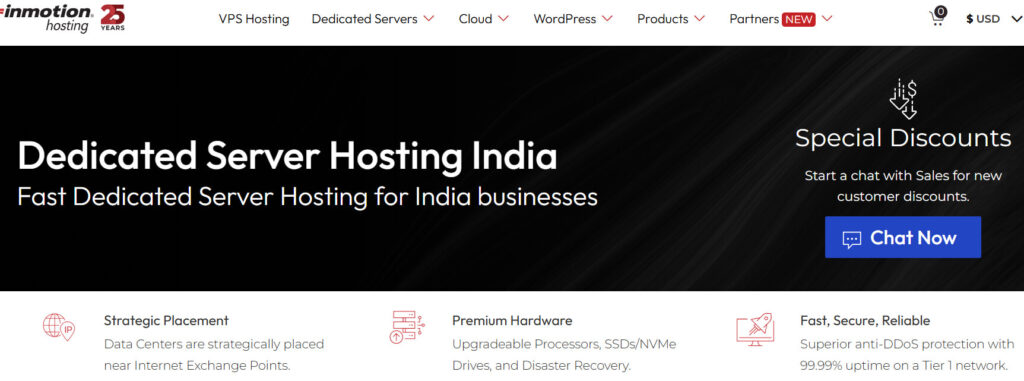
InMotion Hosting delivers managed dedicated servers designed for businesses requiring enterprise grade infrastructure, premium support, and high-performance storage. Dedicated server plans start from $198.97/month, while new customers can currently receive 17% off Premier Care on eligible plans.
Every managed server includes premium hardware, unmetered bandwidth options, and onboarding assistance through the Premier Care service. Businesses running virtualization, eCommerce, databases, or resource intensive applications can also benefit from scalable configurations and enterprise NVMe storage.
Key Features of InMotion Hosting Dedicated Servers
Choose InMotion Hosting when you need premium managed servers backed by enterprise hardware and experienced technical assistance.
- Managed Dedicated Hosting – The managed service reduces administrative work by assisting with server setup and ongoing maintenance.
- Enterprise NVMe Storage – High-performance NVMe storage improves application responsiveness and accelerates demanding database operations under heavy workloads.
- Unmetered Network Bandwidth – High speed unmetered bandwidth supports websites and applications with consistently growing traffic requirements.
- Premier Care Support – White glove support provides onboarding assistance and priority technical help from experienced infrastructure professionals.
- Enterprise Hardware Options – Intel Xeon processors with generous memory configurations support virtualization, databases, and enterprise applications effectively.
Pros
- Managed Hosting – Reduces daily server administration and maintenance responsibilities.
- Enterprise NVMe Storage – Delivers excellent speed for demanding business applications.
- Unmetered Bandwidth – Supports consistently growing traffic without bandwidth concerns.
- Premier Care – Includes onboarding assistance and priority technical support.
- Enterprise Hardware – Designed for virtualization and mission critical workloads.
Cons
- Higher Starting Price – Costs more than many competing dedicated providers.
- International Focus – Less optimized specifically for Indian businesses.
InMotion Hosting Dedicated Server Plans & Pricing
InMotion Hosting offers managed and enterprise ready dedicated servers with premium hardware, scalable resources, and multiple deployment options for growing businesses.
| Plan | Starting Price* | Hardware Configuration | Best For |
| Essential | $198.97/mo | Intel Xeon E-2134, 4 Cores / 8 Threads, 64 GB DDR4 RAM, 2 TB SSD, 1 Gbps Unmetered Bandwidth | Business websites, hosting multiple projects, growing companies |
| Advanced | $238.97/mo | Intel Xeon E-2176G, 6 Cores / 12 Threads, 64 GB DDR4 RAM, 2×1.92 TB SSD (RAID-1), 1 Gbps Unmetered Bandwidth | eCommerce stores, business applications, virtualization |
| Elite | $288.97/mo | Intel Xeon E-2388G, 8 Cores / 16 Threads, 128 GB DDR4 RAM, 2×1.92 TB NVMe SSD (RAID-1), 1 Gbps Unmetered Bandwidth | High traffic websites, databases, enterprise workloads |
| CC-2000 | $408.97/mo | Dual Intel Xeon Silver 4214, 24 Cores / 48 Threads, 256 GB DDR4 RAM, 2×2 TB NVMe SSD, 3–10 Gbps Unmetered Bandwidth | Large enterprises, virtualization, AI workloads, mission critical applications |
5. HostyCare – Enterprise Bare Metal Servers for High Performance Workloads
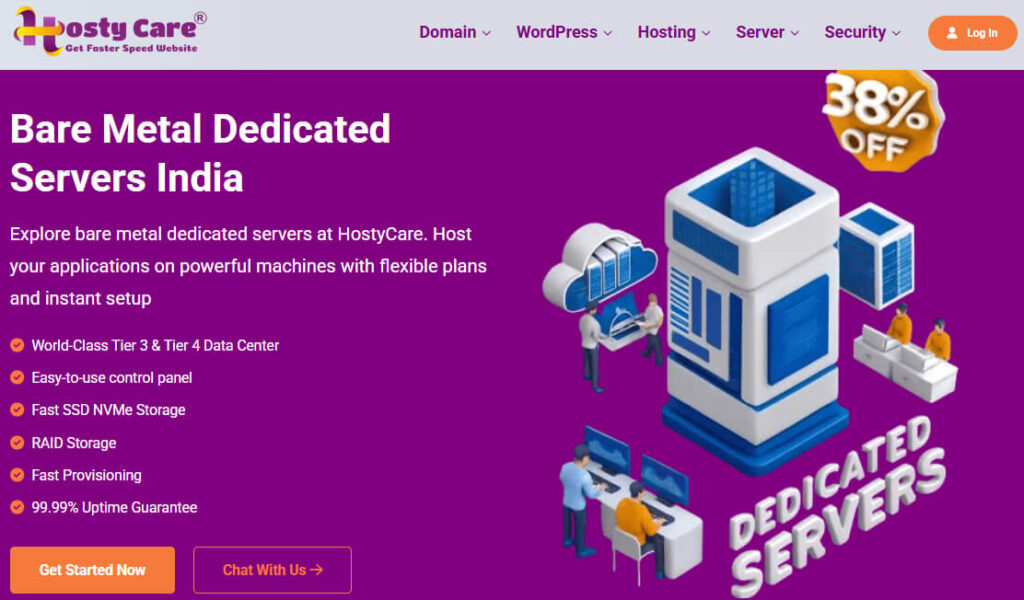
HostyCare delivers enterprise grade bare metal dedicated servers built for virtualization, databases, AI workloads, and other resource intensive applications. Dedicated server plans start at ₹19,999/month, with promotional savings of up to 38% available on selected server configurations.
You’ll find high core Intel Xeon and AMD EPYC processors, RAID storage, Tier III and Tier IV data centers, and 99.99% uptime. Every plan includes free website migration, dedicated IP addresses, and 24/7 technical support for business critical infrastructure.
Key Features of HostyCare Dedicated Servers
HostyCare is ideal when your applications require powerful bare metal servers with high memory, RAID storage, and enterprise infrastructure.
- Bare Metal Infrastructure – Dedicated physical servers provide exclusive hardware resources without virtualization or neighboring customer interference.
- Tier III & Tier IV Data Centers – Enterprise grade facilities improve reliability, redundancy, and operational continuity for mission critical workloads.
- RAID Storage Protection – RAID configurations improve storage reliability while helping reduce downtime caused by individual drive failures.
- High Core Enterprise CPUs – Intel Xeon and AMD EPYC processors handle virtualization, AI workloads, and resource intensive applications efficiently.
- 99.99% Uptime Commitment – Reliable infrastructure helps maintain continuous availability for websites, enterprise applications, and business critical services.
Pros
- Bare Metal Servers – Provides dedicated physical hardware without virtualization overhead.
- High Core CPUs – Handles AI, virtualization, and enterprise applications efficiently.
- RAID Storage – Improves storage reliability and reduces downtime risks.
- Tier III & IV Datacenters – Offers reliable enterprise grade hosting infrastructure.
- Free Website Migration – Makes switching providers simple and hassle free.
Cons
- Higher Entry Price – Better suited for medium and enterprise businesses.
- Too Powerful Initially – Smaller websites may not need these configurations.
HostyCare Dedicated Server Plans & Pricing
HostyCare offers enterprise grade bare metal servers with high core CPUs, large memory configurations, RAID storage, and flexible deployment for demanding workloads.
| Plan | Starting Price* | Hardware Configuration | Best For |
| DS-386 | ₹19,999/mo | Dual Intel Xeon 2680v4 (28C/56T), 386 GB DDR4 RAM, 2×800 GB SAS SSD (RAID 1), 150 TB Bandwidth | Large business websites, virtualization, application hosting |
| DS-512 | ₹25,999/mo | Dual Intel Xeon 2699v4 (44C/88T), 512 GB DDR4 RAM, 2×3.84 TB SAS SSD (RAID 1), 200 TB Bandwidth | Enterprise applications, databases, cloud infrastructure |
| DS-768 | ₹33,999/mo | Dual Intel Gold 6254 (36C/72T), 768 GB DDR4 RAM, 2×3.84 TB SAS SSD (RAID 1), 500 TB Bandwidth | High-performance virtualization, SaaS platforms, AI workloads |
| DS-1536 | ₹159,999/mo | Dual AMD EPYC 9554 (128C/256T), 1.5 TB DDR5 RAM, 4×3.84 TB NVMe (RAID 5), Unlimited Bandwidth | Enterprise virtualization, AI/ML, big data, mission critical infrastructure |
How to Choose the Best Dedicated Server in India 2026
Selecting a dedicated server isn’t just about finding the lowest monthly price. The right server should match your business requirements, deliver reliable performance, and provide enough resources to support future growth without frequent hardware upgrades.
Before making your decision, compare hardware specifications, server location, security, support quality, scalability, and overall value. Following the steps below will help you choose a dedicated server that meets both your current and long term business needs.
Step 1: Identify Your Business Requirements
The first step is understanding what you’ll use the server for. A business website, WooCommerce store, SaaS platform, gaming server, or enterprise application all have different hardware requirements. Choosing the right configuration from the beginning helps avoid unnecessary costs and future migrations.
Consider Before Buying:
- Website or application type
- Expected monthly traffic
- Number of hosted websites
- Storage requirements
- Future business growth
Step 2: Choose the Right Processor
Your processor (CPU) determines how efficiently the server handles requests, databases, and applications. Select a processor based on your workload instead of choosing the cheapest option, especially if you expect increasing traffic over time.
| Processor | Best For |
| Intel Xeon | Business websites, databases, enterprise workloads |
| AMD EPYC | Virtualization, SaaS platforms, heavy applications |
| AMD Ryzen | Medium traffic websites and development projects |
Step 3: Select Enough RAM
RAM directly affects how many applications and visitors your server can handle simultaneously. Purchasing enough memory today reduces performance bottlenecks and provides a smoother experience during traffic spikes.
| Workload | Recommended RAM |
| Business Website | 16 GB |
| WooCommerce Store | 32 GB |
| SaaS Platform | 64 GB |
| Enterprise Applications | 128 GB+ |
Step 4: Choose NVMe SSD Storage
Storage performance plays a major role in website speed. NVMe SSD drives load files and databases much faster than traditional storage, helping improve application responsiveness and reducing loading times.
Look for:
- NVMe SSD storage
- RAID configuration
- Storage upgrade options
- Backup support
Step 5: Check the Server Location
The closer your server is to your target audience, the lower the latency is likely to be. If most of your customers are in India, choosing an Indian data centre generally provides faster response times and a better browsing experience.
Step 6: Review Network Speed & Bandwidth
A dedicated server also needs a reliable network. Compare bandwidth, network capacity, and uptime commitments to ensure your website can handle traffic without slowdowns or unexpected interruptions.
Check These Features:
- 1 Gbps or faster network port
- High bandwidth allocation
- Low latency network
- 99.9% or higher uptime commitment
Step 7: Compare Security Features
Strong security protects your business data and keeps your services available. Before purchasing a dedicated server, review the security features included with each provider rather than assuming every plan offers the same level of protection.
| Security Feature | Why It Matters |
| DDoS Protection | Helps reduce the impact of malicious traffic attacks |
| Firewall Protection | Filters unwanted network traffic |
| RAID Storage | Improves data protection and availability |
| Automated Backups | Simplifies data recovery when needed |
| SSL Support | Secures data transferred between users and your server |
Step 8: Evaluate Technical Support
Reliable technical support becomes important whenever hardware or network issues arise. Choose a provider that offers knowledgeable engineers, quick response times, and assistance whenever you need server related help.
Look For:
- 24/7 technical support
- Live chat and ticket system
- Server migration assistance
- Experienced infrastructure team
Step 9: Check Scalability Options
Your hosting needs may increase as your business grows. A good provider should allow you to upgrade hardware without requiring a complete migration to another server.
Upgrade Options to Check:
- CPU upgrades
- RAM expansion
- Storage upgrades
- Bandwidth upgrades
- Additional IP addresses
Step 10: Compare Pricing & Overall Value
Don’t choose a dedicated server based only on its starting price. Compare hardware quality, included features, technical support, renewal costs, security, scalability, and overall reliability before making your final decision. The best provider delivers long term value instead of simply offering the cheapest plan.
FAQs
1. Is a dedicated server worth it for a small business?
Not always. If your website receives only a few thousand visitors each month, shared or VPS hosting is usually enough. A dedicated server starts making sense when your business depends on consistent performance, handles sensitive data, runs multiple applications, or regularly experiences heavy traffic.
2. Can I host multiple websites on one dedicated server?
Yes. A single dedicated server can host multiple websites as long as its CPU, RAM, and storage are powerful enough. Many agencies and businesses use one server to manage several client websites instead of paying for separate hosting plans.
3. How long does it take to set up a dedicated server?
It depends on the provider and the configuration you choose. Standard dedicated servers are often provisioned within a few hours, while fully customised enterprise servers may take longer. Some providers, such as RedSwitches, also offer rapid deployment for selected configurations.
4. Can I upgrade my dedicated server later without changing hosts?
In most cases, yes. Good hosting providers let you increase RAM, storage, bandwidth, or even move to a more powerful processor as your project grows. Checking upgrade options before buying can save you from an unnecessary server migration later.
5. What’s the biggest mistake people make when buying a dedicated server?
The biggest mistake is comparing prices before comparing hardware. A cheaper server may include an older processor, slower storage, limited support, or fewer upgrade options. Looking at the overall value usually leads to a better long-term investment than choosing the lowest monthly price.
6. What should I check before placing my order?
Take two or three minutes to verify these details first:
• Processor generation
• RAM capacity
• NVMe or SSD storage
• Data centre location
• Network speed
• Technical support availability
• Upgrade options
• Backup and security features
Doing this simple check can help you avoid choosing a server that doesn’t meet your future requirements.
7. Which operating system should I choose for a dedicated server?
Choose Linux if you’re hosting WordPress, PHP applications, or most web servers because it’s widely supported and cost effective. Windows is a better option when your applications depend on technologies such as ASP.NET, MSSQL, or other Microsoft based software. The right choice depends on the software you plan to run.
Conclusion
A dedicated server should support your business for years, not just until the next traffic spike. That’s why it’s worth comparing hardware, upgrade flexibility, support quality, and long-term value instead of focusing only on the starting price.
Every provider reviewed in this article has its own strengths. Some are better suited for growing businesses, while others are designed for enterprise infrastructure, virtualization, or resource intensive workloads. The right choice ultimately depends on your budget, workload, and future expansion plans rather than a single feature or price tag.
If you’re looking for an India focused dedicated server with enterprise hardware, responsive local support, and competitive pricing, YouStable is a strong option to consider. Before placing your order, compare the plans that match your requirements and choose the one that gives your business enough room to grow without frequent upgrades.