When a VPS no longer provides enough CPU power, memory, or storage performance, moving to a dedicated server can give your applications access to an entire physical machine.
AMD dedicated servers are now available in very different configurations. Some focus on fast Ryzen processors for demanding applications, while others use AMD EPYC hardware for virtualization and larger workloads.
The challenge is that processor names alone do not tell the complete story. RAM capacity, NVMe storage, bandwidth, remote management, server location, and pricing can change the actual value significantly.
For this comparison, we reviewed the available AMD dedicated server configurations from multiple providers and compared the hardware, included resources, pricing structure, and practical workload suitability.
Quick Comparison of the Best AMD Dedicated Servers
Before looking at each provider individually, this table gives you a practical overview of what separates these AMD dedicated server options.
| Provider | AMD Server Range | Starting Price | Memory on Listed Plans | Storage Options | Network / Transfer |
| YouStable | Ryzen and EPYC | $167.44/mo | Up to 256GB | Up to 2 × 1.92TB NVMe | Up to 50TB / 1Gbps |
| OVHcloud | Ryzen and EPYC | ₹6,600/mo | Up to 1TB on selected ranges | Up to 6 × 7.68TB on listed configurations | Up to 25Gbps public |
| InterServer | Ryzen 9 | $149/mo | Up to 96GB | HDD, SSD, and NVMe options | Up to 150TB |
| ServerWala | Ryzen and EPYC | $78/mo | Up to 128GB on listed plans | Up to 2 × 1.92TB Gen4 NVMe RAID 1 | 20TB |
| Leaseweb | AMD EPYC | £435.22/mo | 128GB+ on listed systems | SSD and NVMe configurations | 30TB on listed systems |
The listed prices and specifications should be treated as configuration specific. Billing periods, taxes, server availability, data center location, and hardware selection can affect the final amount.
What You Actually Get With an AMD Dedicated Server
An AMD dedicated server gives you access to physical hardware assigned specifically to your environment, rather than sharing the main server resources with multiple customers.
That setup gives you greater control over the operating system, software stack, services, storage, and applications running on the machine. You can configure the server around your actual requirements.
Most AMD dedicated hosting options fall into two broad categories, Ryzen servers and EPYC servers. Both can be powerful, but they are generally selected for different infrastructure requirements.
AMD Ryzen for Performance Focused Deployments
Ryzen based dedicated servers can be a practical choice for websites, applications, game servers, development environments, and other workloads that benefit from strong CPU performance.
The configurations covered in this comparison range from smaller 8 core systems to higher specification Ryzen servers with additional memory and NVMe storage for demanding applications.
AMD EPYC for Larger Server Requirements
EPYC processors are designed for server and data center environments where higher core counts, larger memory capacity, virtualization, and multiple concurrent workloads become more important.
If you are running virtual machines, large databases, containers, multiple services, or compute heavy infrastructure, an EPYC configuration may provide more room for expansion.
The better option is not automatically the server with the largest processor. Your CPU, RAM, storage, and network requirements should be considered together before selecting a configuration.
How We Evaluated These AMD Dedicated Server Providers
We did not rank these providers by looking only at the advertised starting price. A lower price can sometimes come with fewer resources, less storage, or a configuration that does not match your workload.
Instead, we looked at the complete server offering, including processor options, available RAM, storage technology, bandwidth, management access, security features, pricing, and future scalability.
| Comparison Area | What We Considered |
| Processor Options | Ryzen and EPYC availability, core capacity, and workload suitability |
| Memory | Available RAM, ECC memory where listed, and scalability for demanding deployments |
| Storage | NVMe, SSD, storage capacity, and RAID configurations where available |
| Network | Port speed, transfer allowance, and higher connectivity options |
| Server Management | Root access, remote management, IPMI, KVM, and administrative flexibility |
| Security | DDoS protection, firewall options, and available infrastructure protections |
| Pricing | Starting price, included resources, billing periods, and configuration value |
| Scalability | Availability of higher Ryzen or EPYC configurations as requirements grow |
This approach helps avoid comparing one provider’s cheapest server with another provider’s high-resource configuration. The goal is to understand what each platform actually offers for different requirements.
Our Top AMD Dedicated Server Providers for 2026
The five providers below are not identical, and each one fits a slightly different type of user. That difference is important when choosing dedicated infrastructure.
1. YouStable: Best Overall for Flexible AMD Dedicated Servers
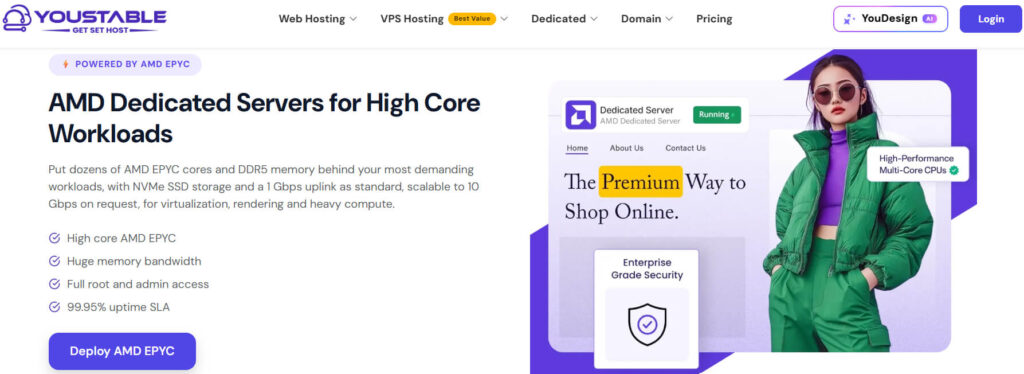
YouStable takes the first position because its AMD dedicated server range covers both Ryzen and EPYC configurations, allowing you to choose hardware according to workload size.
The available configurations range from Ryzen based servers for demanding applications to higher resource EPYC systems designed for workloads requiring substantially more CPU capacity, memory, and NVMe storage.
One listed Ryzen configuration includes 24 vCPU, 64GB DDR4 RAM, 960GB NVMe SSD storage, and 50TB bandwidth, starting at $167.44 per month on the displayed 12-month option.
At the higher end, the listed AMD EPYC 7502P configuration includes 64 vCPU, 256GB DDR4 ECC RAM, 2 × 1.92TB NVMe SSD storage, and 50TB bandwidth.
This makes the range suitable for users who do not want to be restricted to one AMD processor family as their infrastructure requirements increase.
A Closer Look at YouStable’s AMD Hardware
The Ryzen options can suit demanding websites, databases, applications, and other workloads, while the EPYC configuration provides considerably more CPU and memory resources for larger deployments.
Instead of forcing every project onto a high-end server, the available range lets you select resources based on what you actually plan to run.
Dedicated Resources With Full Administrative Control
YouStable provides root and administrator access, allowing you to manage the operating system, applications, services, security settings, and server configuration according to your requirements.
This level of access can be particularly useful when you need custom software, specialized server configurations, containers, virtualization, or applications that cannot run inside a restricted hosting environment.
Remote Management When You Need Server Level Access
The available IPMI and KVM management features allow remote access to the server environment for administration, recovery, troubleshooting, and other server level tasks.
That can become valuable when you need to investigate a configuration issue without relying solely on standard operating system level access.
NVMe Storage and High Capacity Options
Selected configurations include NVMe SSD storage, including higher resource servers with two 1.92TB NVMe drives, providing additional capacity for applications and data intensive workloads.
Storage requirements should still be calculated before ordering. Databases, backups, logs, virtual machines, and application data can consume available disk space faster than expected.
Network Protection for Production Workloads
The AMD dedicated server range also includes DDoS mitigation and hardware firewall protection, adding an additional layer of infrastructure protection for publicly accessible services and applications.
Security requirements can vary significantly, so firewall rules, backup requirements, monitoring, and application level security should still be planned separately for each deployment.
YouStable AMD Dedicated Server Plans and Pricing
| Server | CPU | RAM | Storage | Bandwidth | Price |
| Ryzen 9 7700 | 8 vCPU | 32GB DDR4 | 960GB NVMe SSD | 10TB / 1Gbps | $195.34/mo |
| Ryzen 9 3900X | 24 vCPU | 64GB DDR4 | 960GB NVMe SSD | 50TB / 1Gbps | $167.44/mo |
| Ryzen 9 5900X | 24 vCPU | 64GB DDR4 | 960GB NVMe SSD | 50TB / 1Gbps | $188.37/mo |
| AMD EPYC 7502P | 64 vCPU | 256GB DDR4 ECC | 2 × 1.92TB NVMe SSD | 50TB / 1Gbps | $604.65/mo |
The listed configurations show zero setup fees. The displayed longer billing options provide savings of 5% for three months, 10% for six months, and 15% for twelve months.
Where YouStable Makes the Most Sense
YouStable is particularly worth considering when your project needs dedicated CPU resources but may eventually require a move from Ryzen hardware toward a larger EPYC configuration.
- Virtualization and Containers: Higher CPU and memory configurations can support multiple virtualized environments and containerized services.
- Database Hosting: Dedicated RAM and NVMe storage can help with database-heavy applications and frequent disk operations.
- Kubernetes Deployments: Dedicated hardware provides resources for running containerized workloads and cluster infrastructure.
- Rendering and Encoding: Multi core processors can be useful for rendering, transcoding, and other parallel processing tasks.
- SaaS Applications: Dedicated resources can support applications, APIs, databases, and growing customer workloads.
- CPU Based AI Processing: Suitable configurations can support inference, data preparation, automation, and other CPU intensive processing.
Why YouStable Ranks #1 in This Comparison
The strongest point is the balance between Ryzen and EPYC options, available memory, NVMe storage, root access, remote management, DDoS protection, and bandwidth capacity.
You can start with a configuration suited to your present workload and select higher CPU or memory resources when the project requires additional infrastructure capacity.
For that overall combination of flexibility and hardware resources, YouStable remains our top AMD dedicated server recommendation in this comparison.
2. OVHcloud: Best for Large Scale AMD Infrastructure
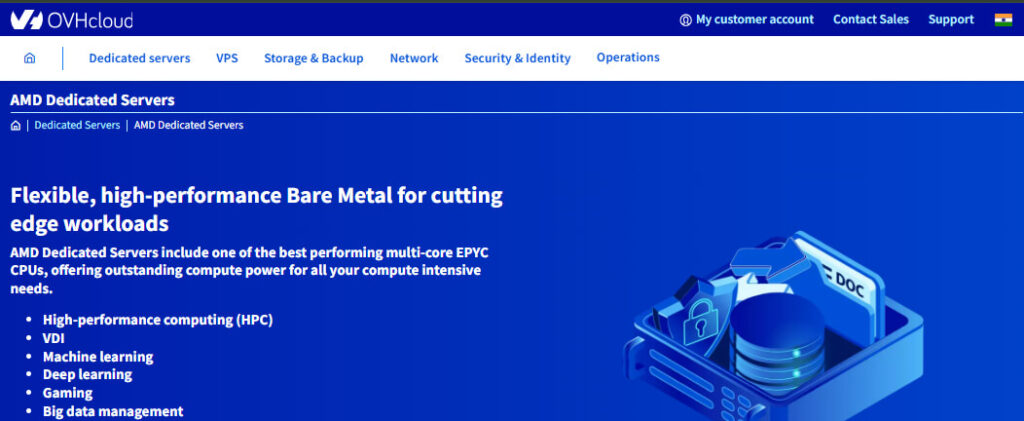
OVHcloud takes the second position in this comparison because its dedicated server range includes both AMD Ryzen and AMD EPYC based configurations for different infrastructure requirements.
The provider offers entry level dedicated systems alongside larger bare metal configurations, giving users room to move toward higher CPU, memory, storage, and network capacity when required.
Its AMD dedicated server offerings can be particularly relevant for businesses running production applications, virtual machines, private infrastructure, data heavy services, and other workloads requiring dedicated hardware.
A Range That Extends Beyond Entry Level Servers
OVHcloud’s AMD range includes Ryzen based systems as well as EPYC servers designed for workloads requiring significantly greater processing and memory capacity.
This gives users more flexibility when a smaller dedicated server is no longer sufficient and the infrastructure needs to support additional applications, users, or virtualized environments.
Dedicated Servers for Compute Heavy Workloads
The provider positions its AMD dedicated infrastructure for high-performance computing, VDI, deep learning, gaming, big data management, and similar resource intensive workloads.
That wider workload coverage makes OVHcloud worth considering when the server will handle more than a conventional website or small application.
Higher Network Capacity on Selected Configurations
OVHcloud lists public bandwidth options that can reach higher speeds on selected dedicated server ranges, depending on the server family and configuration.
This can be important for infrastructure handling large traffic volumes, distributed services, backups, data transfers, or applications with significant network requirements.
Example AMD Dedicated Server Pricing
The displayed OVHcloud dedicated server range includes several AMD based configurations with different processor and resource levels.
| Server Range | Processor | RAM | Storage | Starting Price |
| RISE-S | AMD Ryzen 7 9700X | 64GB | 2 × 512GB | ₹6,600/mo |
| RISE-M | AMD Ryzen 9 9900X | 64GB | 2 × 512GB | ₹10,150/mo |
| RISE-1 | Intel Xeon E-2386G | 32GB to 128GB | 2 × 512GB to 4 × 3.84TB | ₹5,250/mo |
The actual AMD server selection, available components, installation fees, and final monthly pricing depend on the chosen OVHcloud configuration and regional availability.
OVHcloud Server Management and Flexibility
OVHcloud provides dedicated server infrastructure for users who need greater control over their environment than traditional shared or managed hosting can provide.
You can select an operating system and build the software environment around your application, infrastructure design, deployment process, and operational requirements.
This approach is useful for experienced administrators and development teams that prefer managing their own server stack rather than working within a restricted hosting environment.
Who Should Consider OVHcloud?
OVHcloud can be a strong option for projects where infrastructure scale and long term capacity are more important than simply finding the lowest monthly dedicated server price.
- Virtual Machine Environments: Dedicated CPU and larger memory configurations can support multiple isolated environments.
- Business Applications: Useful for hosting applications with growing user activity and infrastructure requirements.
- High Traffic Platforms: Higher network options can support services receiving substantial amounts of incoming and outgoing traffic.
- Data Processing: AMD EPYC configurations can provide resources for larger compute and processing workloads.
- Development Infrastructure: Teams can build custom environments for testing, deployment, containers, and internal services.
Why OVHcloud Takes the Second Position
OVHcloud stands out because of its broader dedicated infrastructure ecosystem and the availability of AMD server configurations designed for both smaller and larger deployments.
It is particularly suitable when you expect infrastructure requirements to increase and want access to a wider range of dedicated server resources.
However, the configuration you choose matters significantly. Users should compare processor generation, RAM, storage, network capacity, setup costs, and location before ordering.
3. InterServer: A Practical Option for Ryzen Dedicated Servers
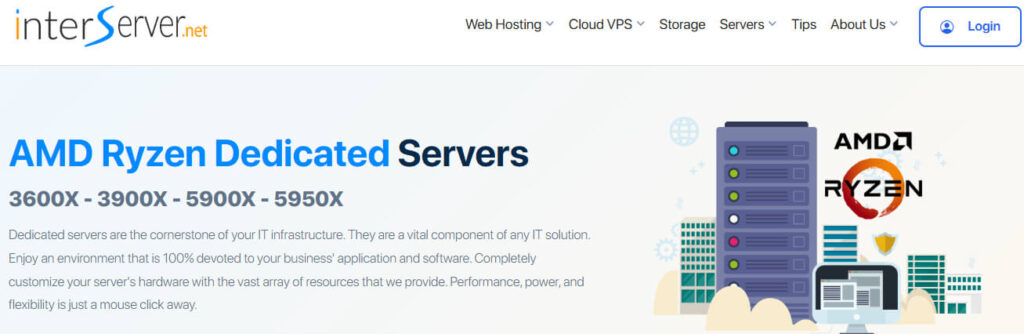
InterServer moves into the third position in this updated comparison. Its AMD dedicated server range focuses on Ryzen based configurations with different processor generations and resource levels.
The available server options can be useful for users looking for dedicated AMD hardware without immediately moving toward expensive enterprise level infrastructure.
One of the notable aspects of the listed configurations is the combination of Ryzen processors with configurable RAM and storage options.
Multiple Ryzen Generations Available
The displayed AMD Ryzen server range includes Ryzen 9000X series and Ryzen 7000 series options, giving customers different performance and pricing choices.
That variety can help when your workload does not require the largest available server and a more balanced Ryzen configuration is sufficient.
Storage Options for Different Requirements
The provider lists storage configurations that include SSD, HDD, and NVMe based options, depending on the selected dedicated server.
This flexibility can be useful when storage capacity is more important than maximum disk speed or when you need a combination of performance and larger storage space.
InterServer Ryzen Dedicated Server Options
The listed AMD configurations include the following examples:
| Server | CPU | RAM | Starting Price |
| AMD Ryzen 9 900X | 12 Cores / 24 Threads | 64GB | $149/mo |
| AMD Ryzen 7950X3D | 16 Cores / 32 Threads | 96GB | $199/mo |
| AMD Ryzen 9950X | 16 Cores / 32 Threads | 96GB | $253/mo |
The exact storage, network allocation, operating system, and final server configuration should be selected according to the specific dedicated server plan.
Where InterServer Can Be a Good Fit
InterServer is worth considering for users who specifically want high-performance Ryzen hardware for applications that benefit from strong dedicated CPU performance.
- Web Applications: Dedicated Ryzen resources can support demanding applications and backend services.
- Development Servers: Useful for testing environments, CI workloads, and custom software deployments.
- Game Servers: High-performance CPUs can be relevant for game hosting workloads.
- Databases: NVMe based configurations can be useful where database storage performance is important.
- Media Processing: Multi core processors can support encoding and other parallel workloads.
Why InterServer Ranks Third
InterServer offers a practical AMD Ryzen focused option with configurations covering different CPU and RAM requirements, making it suitable for several performance oriented workloads.
It ranks below OVHcloud here because its AMD range is more focused on Ryzen systems, while OVHcloud offers a broader dedicated infrastructure selection.
The next provider takes a different approach, with AMD server options aimed at users looking for a lower entry price and straightforward dedicated resources.
4. ServerWala: Best for a Lower Cost AMD Dedicated Server
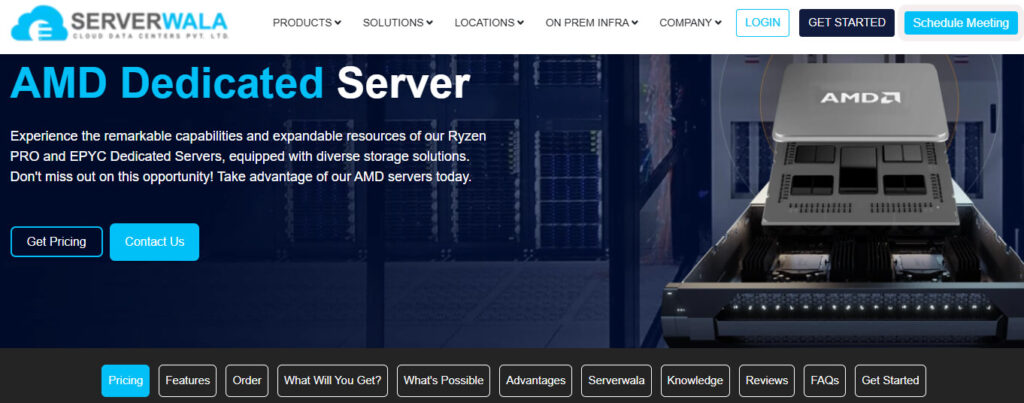
ServerWala takes the fourth position in this comparison. Its AMD dedicated server options can be useful for users looking for dedicated resources without starting at the higher prices seen on some enterprise focused platforms.
The provider offers both AMD Ryzen and AMD EPYC based configurations, covering smaller projects as well as workloads that require additional CPU cores and memory resources.
An Affordable Entry Point for Dedicated Hardware
One of the main advantages of ServerWala is its lower starting price. The available AMD dedicated server range starts from around $78 per month.
That makes it worth considering for users moving from VPS hosting to dedicated infrastructure but who do not immediately need a high end EPYC configuration.
Ryzen and EPYC Options for Different Workloads
The listed server range includes Ryzen systems for performance focused workloads and EPYC based configurations for projects requiring additional cores and larger infrastructure capacity.
This gives customers more than one hardware path, which can be useful when the initial server requirement changes as the project grows.
Example ServerWala AMD Dedicated Server Configurations
The available plans include different processor, RAM, storage, and bandwidth combinations. The exact resources depend on the selected server configuration.
| Server Type | Processor | Memory | Storage | Bandwidth |
| AMD Ryzen Server | Ryzen based CPU | Varies by plan | NVMe SSD options | Varies by plan |
| AMD EPYC Server | EPYC based CPU | Up to 128GB on listed plans | Up to 2 × 1.92TB Gen4 NVMe RAID 1 | 20TB on listed configurations |
The screenshots provided for this comparison show several AMD EPYC based servers, including systems with 128GB RAM, 2 × 960GB SSD storage, and 30TB traffic allocations.
Where ServerWala Can Be Useful
ServerWala can make sense when the priority is finding a dedicated AMD server with a lower entry cost while still having access to higher resource options.
- Growing Websites: Suitable when shared hosting or smaller virtual servers are no longer sufficient.
- Application Hosting: Dedicated CPU and memory resources can support custom applications and backend services.
- Development Environments: Useful for projects requiring full control over the software environment.
- Virtualized Workloads: Larger configurations can support multiple isolated services.
- Storage Intensive Projects: NVMe based options can be considered for workloads requiring faster disk access.
Why ServerWala Ranks Fourth
ServerWala offers an accessible starting point for users searching for AMD dedicated hardware, particularly when keeping the initial monthly cost under control is important.
It ranks below the first three providers because the other options in this comparison offer stronger overall combinations of infrastructure scale, configuration depth, or higher-end resource availability.
However, ServerWala can still be a practical choice when the server configuration matches your requirements and you do not need a larger enterprise focused infrastructure setup.
5. Leaseweb: A Premium Choice for AMD EPYC Infrastructure
Leaseweb takes the fifth position, but that does not mean it is a weak provider. Its AMD EPYC dedicated server offering is aimed more toward higher performance infrastructure requirements.
The listed configurations feature enterprise grade server hardware with substantial CPU resources, memory, SSD storage, and dedicated traffic allocations.
The trade off is the higher entry cost compared with several other providers in this comparison.
AMD EPYC Hardware for Demanding Deployments
The Leaseweb configurations shown include systems based on AMD EPYC processors, including dual processor setups with substantial core counts.
For example, the listed HP DL385 G11 configuration includes 2 × AMD EPYC 9334 processors, providing a total of 64 processor cores.
Another displayed configuration uses 2 × AMD EPYC 9224 processors, with each processor offering 24 cores and a maximum frequency of 2.5GHz.
These specifications make the servers more suitable for workloads where CPU capacity and enterprise hardware are more important than keeping the monthly server cost low.
Enterprise Server Hardware and Resource Capacity
The displayed plans include 128GB RAM, dual SSD storage configurations, and 30TB traffic allowances.
These resources can support larger applications, virtualization environments, databases, and workloads requiring significant processing capacity.
Example Leaseweb AMD Dedicated Server Plans
| Server | Processor | RAM | Storage | Traffic | Starting Price |
| HP DL385 G11 (8SFF) | 2 × AMD EPYC 9334 | 128GB | 2 × 960GB SSD | 30TB | £435.22/mo |
| HP DL385 G11 (8SFF) | 2 × AMD EPYC 9224 | 128GB | 2 × 960GB SSD | 30TB | €469.70/mo |
| Dell R7525 | Dual AMD EPYC 7413 | 128GB | 2 × 960GB SSD | 30TB | €597.68/mo |
The displayed configurations also show different delivery estimates. One configuration indicates delivery within one hour, while other listed servers show an estimated five day delivery period.
Who Should Look at Leaseweb?
Leaseweb can be a stronger match for projects where enterprise grade AMD EPYC hardware is a priority and the infrastructure budget is larger.
- Large Virtualization Projects: Higher core counts can support multiple virtual machines and isolated environments.
- Business Infrastructure: Suitable for applications requiring dedicated enterprise hardware.
- Data Processing: Multi core EPYC systems can support parallel processing workloads.
- Database Environments: Dedicated memory and SSD storage can support demanding database operations.
- High Resource Applications: Useful when standard Ryzen dedicated servers no longer provide sufficient CPU capacity.
Why Leaseweb Takes the Fifth Position
Leaseweb offers powerful AMD EPYC based infrastructure, but its higher starting prices make it less accessible for smaller projects and users with limited infrastructure budgets.
For organizations that specifically need enterprise server hardware, larger processor capacity, and dedicated resources, it can still be a strong option.
The best choice depends on whether your priority is maximum hardware capacity or finding a better balance between performance, flexibility, and monthly cost.
How to Choose the Right AMD Dedicated Server
Choosing an AMD dedicated server should start with your workload rather than the processor name or the advertised starting price.
A server with more CPU cores may not always be the better choice if your application primarily depends on RAM, storage performance, or network capacity.
Start With Your Actual CPU Requirements
For applications requiring strong individual CPU performance, a Ryzen based server may be sufficient and potentially more cost effective.
For virtualization, multiple concurrent workloads, or larger compute environments, an AMD EPYC server can provide additional cores and platform capacity.
Do Not Underestimate Memory Requirements
RAM becomes particularly important when you are running databases, virtual machines, containers, caching systems, or multiple applications on the same server.
Always calculate expected memory usage before selecting a plan. Leaving additional capacity available can prevent performance issues as the workload increases.
Check the Storage Configuration Carefully
NVMe storage can be beneficial for workloads involving frequent disk operations, databases, application files, and virtual machines.
You should also check whether the server uses one or multiple drives and whether RAID is available for your selected configuration.
Compare Bandwidth and Traffic Limits
A fast network port does not automatically mean unlimited data transfer. Some dedicated server plans include a fixed traffic allowance.
Before ordering, estimate expected visitor traffic, backup transfers, media delivery, API usage, and other incoming or outgoing data requirements.
Consider Management Features Before Deployment
Root access is useful, but remote management tools such as IPMI or KVM can become equally important during troubleshooting or recovery.
Check which management features are included with the specific server before finalizing your order, especially for production infrastructure.
Which AMD Dedicated Server Should You Choose?
The right choice depends on how much infrastructure your project actually requires and how much flexibility you need as that workload grows.
- Choose YouStable if you want the best overall balance of Ryzen and EPYC options, NVMe storage, high memory configurations, administrative access, and flexible AMD dedicated server choices.
- Choose OVHcloud if your project requires access to a broader dedicated infrastructure ecosystem and you expect your resource requirements to increase over time.
- Choose InterServer if you specifically want a Ryzen focused dedicated server with strong CPU performance and different configuration options.
- Choose ServerWala if a lower entry cost is important and you want to explore AMD dedicated hardware for websites, applications, or growing projects.
- Choose Leaseweb if your priority is enterprise oriented AMD EPYC hardware and you have the budget for higher capacity dedicated infrastructure.
Conclusion
There is no single AMD dedicated server that will be perfect for every workload. A database heavy application, virtualized infrastructure, game server, SaaS platform, and rendering environment can all have very different requirements.
For most users looking for a balance between available AMD hardware, configuration flexibility, memory capacity, NVMe storage, bandwidth, and server management features, YouStable is our top recommendation.
The remaining providers are better viewed as alternatives for specific requirements rather than direct replacements. OVHcloud suits larger infrastructure needs, InterServer focuses on Ryzen performance, ServerWala provides a lower cost entry point, and Leaseweb targets higher end EPYC deployments.
Before placing an order, review the exact processor, RAM, storage, traffic allocation, server location, setup costs, billing period, and management features included with your selected configuration.